
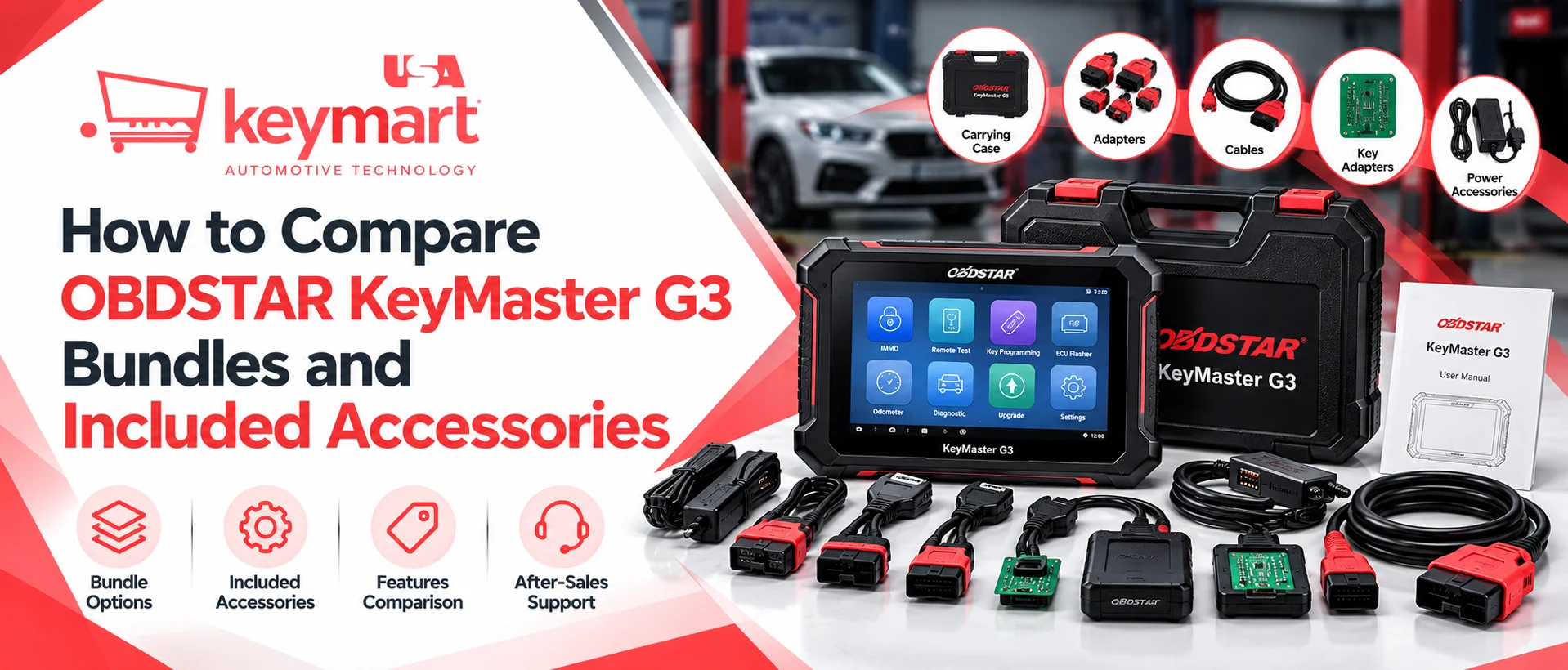
Choosing the right automotive key programming tool involves more than comparing advertised prices. Professional locksmiths and automotive technicians also need to understand which accessories, software functions, licences, and update subscriptions are included in each package. Two bundles featuring the same device may offer different capabilities, making it important to compare their contents before purchasing.
The obdstar keymaster g3 is designed for automotive key programming and related electronic work, with supported functions depending on the configuration and software activation. When evaluating bundles, buyers should check the main unit, cables, programmers, adapters, bench accessories, included software, and subscription period.
KEYMART USA can be considered when researching available packages and purchasing options. A detailed comparison helps buyers avoid paying for duplicate accessories, missing essential components, or assuming that optional software is included in the advertised price.
How Do You Compare OBDSTAR KeyMaster G3 Bundles?
To compare bundles, examine the exact accessory list, activated software functions, update subscription, vehicle coverage, warranty, and total price.
Use this checklist before ordering:
- Compare the main unit: Confirm the model and regional configuration.
- Check the included accessories: Review cables, programmers, adapters, boards, and wiring.
- Verify software activation: Identify which functions are included and which cost extra.
- Review update coverage: Confirm the subscription duration and renewal price.
- Check vehicle compatibility: Match supported functions to the vehicles you service.
- Calculate the complete cost: Include shipping, taxes, missing accessories, and optional licences.
The best bundle is the one that supplies the accessories and functions you actually need at a reasonable total cost.
1. Confirm the Main Unit and Bundle Configuration
Start by checking the exact model and configuration listed on the quotation. A product listing may use the same KeyMaster G3 name while offering different software packages or accessory combinations.
Ask the supplier to confirm whether the bundle is a standard, professional, or expanded configuration, and request a written list of the included functions. Do not assume that all available capabilities are activated on every device.
The OBDSTAR product page describes functions including immobiliser programming, remote testing, transponder operations, EEPROM/MCU work, and additional software modules. Some advanced functions may require paid activation. <Cite refs={[“turn371707search0”]}/>
When comparing the OBDSTAR KeyMaster G3 Programmer, check the hardware, software access, and intended applications separately. This helps distinguish a bundle with additional accessories from one that genuinely includes more activated functionality.
2. Compare the Included Accessories
Accessories can influence both the usefulness and the cost of a bundle. Depending on the package, the accessory list may include the main cable, power supply, MP001 all-in-one programmer, read/write soldering wires, data boards, bench harnesses, jumpers, and other specialised components.
For example, reseller listings show packages containing different combinations of MP001, W004/W005/W006 wires, C4-series boards, bench accessories, and KeySim or motorcycle immobiliser accessories. These are examples of listed bundles, not a guarantee of what every package contains. <Cite refs={[“turn371707search3″,”turn371707search4″,”turn371707search8”]}/>
Create a checklist with three columns:
| Accessory category | What to verify | Why it matters |
|---|---|---|
| Main cable and charger | Included and correct specification | Connects and powers the device |
| Programmer | Model and included functions | Supports specified programming work |
| Wires and boards | Exact part numbers and quantities | Required for supported read/write procedures |
| Bench accessories | Included harnesses and adapters | May be needed for particular bench functions |
| Specialised kits | KeySim or motorcycle accessories, if required | Supports relevant applications |
Request photos or a formal packing list if the listing is unclear. Confirm that each item is included in the price rather than offered as an optional extra.
3. Understand Software Licences and Update Subscriptions
Software is just as important as physical accessories. A bundle may include a base programming package while offering additional features through separately purchased activations.
Before comparing offers, ask the supplier to specify which software functions are active at delivery. Depending on the package, optional functions may include ECU flashing, odometer-related features, crash reset, or test platform functions. The manufacturer’s documentation identifies certain advanced functions as available through paid activation. <Cite refs={[“turn371707search0”]}/>
Check these details:
- Which software modules are included
- Whether activation is completed before shipment
- How long software updates are included
- What the renewal fee will be
- Whether optional functions require additional hardware
- Whether any regional or application restrictions apply
A bundle with more accessories may not include more software functionality. Likewise, a package with a higher price may reflect extra licences or a longer update period rather than a different main unit.
Compare these elements separately to understand what you are actually buying.
4. Compare OBDSTAR KeyMaster G3 Price and Total Value
The advertised OBDSTAR KeyMaster G3 Price should be evaluated alongside package contents and future operating costs.
For a fair comparison, request quotations for equivalent configurations. Include the device, accessories, activated functions, update period, shipping, taxes, and any additional items you would need to purchase separately.
A useful calculation is:
Total acquisition cost = Bundle price + delivery and taxes + required extras + activation fees
You should also consider whether you already own compatible accessories. OBDSTAR’s official product information states that certain previously purchased adapters or cables, including specified P002 and P003 adapters and a KeySim adapter, may be compatible with the G3. Confirm the exact accessory model and compatibility before relying on reuse. <Cite refs={[“turn371707search0”]}/>
Avoid paying extra for duplicate equipment, but do not exclude a necessary component simply to reduce the initial price. The best value is the package that meets your actual requirements without avoidable additional spending.
5. Check Vehicle Compatibility Before Choosing a Bundle
The most comprehensive-looking bundle is not automatically the best option for every workshop. Choose according to the vehicle makes, models, years, and procedures you regularly handle.
Review the current official coverage documentation and confirm whether the relevant programming functions are supported. Some procedures may require particular adapters, software activation, or additional prerequisites.
When reviewing OBDSTAR KeyMaster G3 Compatibility, separate three questions:
- Is the vehicle listed in the current coverage information?
- Is the exact function you need supported for that vehicle?
- Does the procedure require additional accessories or activation?
This approach helps prevent confusion between general vehicle coverage and support for a particular task.
The manufacturer provides downloadable coverage information through its product page. Check the latest available version before making a purchase, because coverage can change with software updates. <Cite refs={[“turn371707search0”]}/>
6. Evaluate Warranty, Support, and Package Documentation
A well-priced bundle is less useful if the supplier cannot explain its contents or help resolve problems after purchase. Before ordering, ask for a detailed invoice, itemised packing list, warranty terms, software activation information, and instructions for reporting missing or faulty components.
Confirm who handles warranty claims and whether the supplier offers assistance with registration, updates, and compatibility questions. Ask how missing accessories are reported and what evidence is required if the delivered package differs from the listing.
Read the return policy carefully, particularly if registration or activation affects eligibility for returns. Keep the original packaging, purchase documents, and serial-number records according to the supplier’s instructions. KEYMART USA can be part of your comparison process, but verify the current bundle, exact accessory list, price, and support terms directly before placing an order.
Conclusion
Comparing OBDSTAR KeyMaster G3 bundles requires careful attention to hardware, accessories, software licences, update subscriptions, vehicle coverage, and after-sales support. The same product name does not guarantee that every seller offers an identical package.
Request an itemised quotation, compare equivalent configurations, and verify the current official coverage information before purchasing. By choosing a bundle that matches your workshop’s actual requirements, you can control costs, avoid unnecessary accessories, and prepare your equipment for the automotive work you intend to perform.
Frequently Asked Questions
Q1. What should an OBDSTAR KeyMaster G3 bundle include?
Contents vary by package. Listings may include the main unit, cables, charger, programmer, wires, boards, bench accessories, software functions, and update subscriptions. Always verify the exact packing list.
Q2. Are all OBDSTAR KeyMaster G3 bundles the same?
No. Bundles can differ in included accessories, activated software functions, optional licences, and update periods. Compare itemised specifications rather than relying on the product name alone.
Q3. Does the OBDSTAR KeyMaster G3 Price include advanced software functions?
Not necessarily. Some functions may require separate activation. Ask the supplier to confirm which modules are active and which involve additional charges.
Q4. Can previously purchased OBDSTAR accessories be reused?
Some specified adapters and cables may be compatible. Verify the exact accessory model against the manufacturer’s compatibility information before reusing it.
Q5. How can I confirm vehicle compatibility?
Check the latest official coverage documentation and verify the exact vehicle application and procedure. Confirm any required accessories, software activations, or additional prerequisites.
Q6. What should I check before placing an order?
Confirm the model, accessory list, software licences, update duration, vehicle coverage, warranty, return terms, shipping charges, and total cost.